Our eSIM Support Services
Making eSIM selection simple for global travellers – we empower you with the knowledge to stay connected.
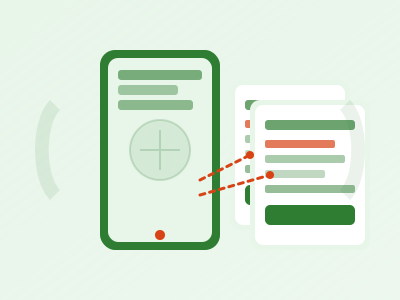
eSIM Activation Guides
Navigating the initial setup of an eSIM can sometimes feel daunting, especially if you're new to the technology. Our detailed activation guides are designed to walk you through the process step-by-step, ensuring a smooth and successful setup for your international travel. We understand that different devices and eSIM providers might have slightly varied procedures, so we focus on general principles and common scenarios, augmented with specific examples where helpful.
Our guides cover essential topics such as:
- Understanding QR Code Activation: How to scan the provided QR code and what to do if it doesn't work immediately.
- Manual Entry Setup: For situations where QR codes aren't an option, we explain how to manually input activation codes and server addresses.
- Primary vs. Secondary Line Configuration: Tips on setting your eSIM as your primary data line while potentially keeping your physical SIM for calls or SMS.
- Data Roaming Settings: Ensuring you have data roaming enabled for your eSIM to function correctly abroad without incurring unexpected charges on your main SIM.
- Troubleshooting Initial Activation Issues: Common problems like "eSIM not found" or "activation failed" and their straightforward solutions.
- Activating Multiple eSIMs: Guidance on managing several eSIM profiles on a single device, useful for multi-country travel.
We strive to make these instructions as clear and concise as possible, often including visual aids where appropriate (though not directly on this text-based page, the underlying resources would feature them). Our goal is to empower you to confidently activate your eSIM, allowing you to connect to local networks quickly upon arrival at your destination.
Troubleshooting Common eSIM Issues
Even with careful preparation, connectivity issues can occasionally arise. Our troubleshooting section is a comprehensive resource designed to help you diagnose and resolve the most common eSIM-related problems you might encounter while traveling. Instead of panicking, you can refer to our guides for practical, actionable steps.
Our troubleshooting content covers:
- "No Service" or "Searching" Errors: Steps to check network settings, perform a manual network selection, and reset network settings.
- Slow Data Speeds: Identifying potential causes like network congestion, fair usage policies, or incorrect APN settings.
- Inability to Make/Receive Calls or SMS: (Where applicable for voice-enabled eSIMs) Verifying voice line assignments and checking carrier settings.
- Data Not Working Despite Activation: Double-checking data roaming, cellular data selection for the eSIM, and APN configuration.
- eSIM Profile Disappears: Rare but concerning, we discuss potential causes and steps to re-add or recover a profile (if possible).
- Unexpected Data Usage: Tips for monitoring data consumption and identifying background app usage.
- Contacting Provider Support: When to escalate an issue to your eSIM provider and what information to have ready.
Our aim is to provide a self-service solution for many common problems, saving you time and stress. We break down complex issues into simple, easy-to-follow instructions, often starting with the simplest solutions first. Always remember to restart your device after making significant changes to settings, as this can often resolve transient issues.

Device Compatibility Checks
Before you even consider purchasing an eSIM, it's crucial to confirm that your smartphone or tablet supports eSIM technology and is not locked to a specific carrier. Our device compatibility checks service offers guidance on how to verify these critical factors, helping you avoid potential disappointment and wasted purchases.
We provide information on:
- Identifying eSIM-Compatible Devices: A general overview of popular smartphone models (e.g., specific iPhone, Samsung Galaxy, Google Pixel series) that support eSIM functionality. We guide you on how to check your device's specifications.
- Checking for Carrier Locks: Instructions on how to determine if your device is "locked" to your home carrier, which would prevent you from using an eSIM from another provider. This often involves checking your device's settings or contacting your current carrier.
- Operating System Requirements: Some eSIM functionalities or activation methods might require a minimum version of iOS or Android. We provide general advice on checking and updating your device's software.
- Dual SIM vs. eSIM Functionality: Explaining the difference between physical dual SIM slots and eSIM capabilities, and how they interact.
- Tips for Older Devices: Guidance on confirming eSIM support for devices that might be on the older side of the compatible spectrum.
By performing these checks beforehand, you can proceed with confidence, knowing that your device is ready for an eSIM. This proactive step is a cornerstone of a seamless international connectivity experience.
Key Assessment Factors for eSIM Selection
Choosing the right eSIM for your travel needs involves evaluating several key factors. Our goal is to equip you with the knowledge to make an informed decision. Below is a table outlining important aspects to consider when comparing eSIM options:
| Factor | Description and Importance |
|---|---|
| Coverage Area | Crucial. Does the eSIM cover all countries and regions you plan to visit? Verify the specific networks used in those areas. |
| Data Speed (4G/5G) | Are 4G LTE or 5G speeds available in your destination? Some plans might throttle speeds or only offer 3G. |
| Price per GB | Compare the cost of data across different plans. This helps determine value, especially for heavy data users. |
| Activation Ease | Look for providers with clear, simple activation processes, ideally via QR code or a user-friendly app. |
| Device Compatibility | Ensuring your specific smartphone model supports eSIM and is unlocked is fundamental before purchase. |
| Customer Support | Availability of responsive support (chat, email, phone) can be vital if you encounter issues during your trip. |
| Validity Period | How long is the eSIM data plan valid for (e.g., 7 days, 30 days)? Choose a plan that matches your trip duration. |
| Data Rollover | Can unused data be rolled over if you purchase another plan from the same provider? Less common but a nice bonus. |
| Tethering Support | Can you use your phone as a Wi-Fi hotspot to share your eSIM data with other devices? Check if this is permitted. |
| Network Partners | Which local mobile networks does the eSIM provider partner with in your destination? This impacts coverage and speed. |
| Voice/SMS Capability | Is the eSIM data-only, or does it include local call/SMS functionality? Essential for those who need more than just data. |
| Refill Options | Can you easily add more data or extend the validity if needed during your trip? This offers flexibility. |
By carefully considering each of these factors, you can effectively narrow down your options and select an eSIM plan that aligns perfectly with your travel itinerary, communication needs, and budget.
Preparation Before Buying an eSIM Checklist
A little preparation goes a long way in ensuring a smooth eSIM experience. Use this checklist to make sure you've covered all the essential steps before making your purchase:
- Check Device Compatibility: Confirm your smartphone or tablet supports eSIM technology.
- Verify Device Unlocked Status: Ensure your device is not carrier-locked to your home provider.
- Update Device Software: Make sure your operating system (iOS/Android) is up to date.
- Assess Data Needs: Estimate how much data you'll realistically need for your trip based on your usage habits.
- Review Destination Coverage: Confirm the eSIM provider offers good coverage in all your travel destinations.
- Understand Plan Validity: Select a plan whose validity period matches or exceeds your trip duration.
- Check for Voice/SMS Needs: Decide if you need local calls/texts or if data-only is sufficient (using VoIP apps).
- Read Activation Instructions: Familiarize yourself with the provider's activation process before purchase.
- Ensure Stable Internet for Activation: Plan to activate your eSIM in an area with reliable Wi-Fi.
- Backup Important Information: Though rare, always good practice before making significant changes to your phone's network settings.
- Note Down eSIM Provider Support Details: Have their contact information handy in case you need assistance.
- Understand Fair Usage Policies: Be aware of any data speed throttling or usage limits after a certain threshold.
- Consider Local Time Zones: Some eSIM validity periods start immediately upon purchase or upon connection to a network, consider this for activation timing.
By ticking off each item on this checklist, you'll significantly reduce the chances of encountering unexpected issues and ensure a smoother start to your connectivity abroad.
Limitations and Exclusions of Our Service
While Alralo eSIM Desk aims to provide comprehensive guidance and support, it's important to understand the scope and limitations of our services. We empower you with information and tools, but there are certain areas that fall outside our direct purview.
- We Do Not Sell eSIMs: Alralo eSIM Desk is an informational platform. We do not directly sell, issue, or provision eSIM data plans. Our role is to guide you in choosing and using eSIMs from various providers.
- No Direct Customer Support for eSIM Providers: We cannot directly troubleshoot issues with a specific eSIM plan you've purchased from another provider. For direct issues like "my data isn't working" after activation, you must contact your eSIM provider's customer support.
- No Device Repair or Hardware Support: Our services are software and information-based. We cannot assist with physical device repairs, hardware malfunctions, or issues related to a damaged phone.
- Legal or Regulatory Advice: We do not offer legal or regulatory advice regarding telecommunications laws in different countries, data privacy regulations, or local SIM card registration requirements.
- Specific Carrier Account Management: We cannot access or manage your personal accounts with your home carrier or any eSIM provider. This includes billing inquiries, plan changes, or account suspensions.
- assurances of Network Performance: While we provide insights into coverage and speed, we cannot assure specific network performance in any given location, as this is dependent on local infrastructure and network conditions.
- Refunds or Exchanges: As we do not sell eSIMs, we cannot facilitate refunds, exchanges, or cancellations for any eSIM purchases made through third-party providers.
- Personal Data Handling by Third-Parties: We are not responsible for how third-party eSIM providers handle your personal data. Always review their privacy policies before purchase.
Our services are designed to be a valuable resource for your eSIM journey, offering clarity and assistance where possible. By understanding these limitations, you can set appropriate expectations for the support we provide.
Frequently Asked Questions
What is an eSIM?
An eSIM (embedded Subscriber Identity Module) is a digital SIM that allows you to activate a cellular plan from a carrier without having to use a physical nano-SIM card. It's built directly into your device, offering flexibility for managing multiple cellular plans.
How do I know if my phone supports eSIM?
Most newer smartphone models from Apple (iPhone XS/XR and later), Samsung (Galaxy S20 series and later), and Google (Pixel 3 and later) support eSIM. You can typically check your device's settings (e.g., "About Phone" or "Cellular/Mobile Data" settings) or refer to our compatibility guides.
Can I use an eSIM if my phone is locked to a carrier?
No, generally an eSIM from a different provider will not work if your phone is locked to your home carrier. You need an unlocked device to use eSIMs from other providers. Contact your current carrier to inquire about unlocking your device.
How do I activate an eSIM?
Activation usually involves scanning a QR code provided by your eSIM carrier or manually entering activation details into your phone's cellular settings. Make sure you have a stable internet connection during activation. Our activation guides provide step-by-step instructions.
Can I keep my physical SIM card active while using an eSIM?
Yes, most eSIM-compatible phones support Dual SIM Dual Standby (DSDS) functionality. This means you can have both your physical SIM and your eSIM active simultaneously, allowing you to use your eSIM for data abroad while still receiving calls/SMS on your primary physical SIM number.
What if my eSIM doesn't work after activation?
First, try restarting your device. Then, check your phone's cellular settings to ensure the eSIM is selected for data and data roaming is enabled. Our troubleshooting guides offer more detailed steps. If issues persist, contact your eSIM provider's customer support.
Can I use an eSIM for calls and texts, or just data?
While many travel eSIMs are data-only, some providers do offer plans that include local calls and texts. Always check the specific plan details before purchasing if voice/SMS is important for your travel. You can always use data-based calling apps (like WhatsApp, FaceTime) with a data-only eSIM.
Is it safe to use eSIMs for international travel?
Yes, eSIMs are a secure and convenient way to stay connected while traveling. They offer the same level of security as physical SIM cards. Always purchase eSIMs from reputable providers to ensure data security and reliable service.